Chematix - Creating and Submitting Waste
Login to Chematix
Go to Chematix Online Pickup Request
Click Login to Chematix
Create Waste Card

Click Waste tab
Click Create Waste Card
Chose chemical mixture:
- Percentage
- Quantity
- Container
Complete Waste Card by Percentage
- Container size/unit
- Physical state
- Container full or specify content amount
- Click Specify radio button if container if not full
- Enter amount and unit
- Select pH level
- Click Select Chemical
- Enter Percent or check Trace Amount
- Click Generate Waste Card

Submit Waste Card for Pick Up
Click Prepare Pickup

Enter contact information and notes.
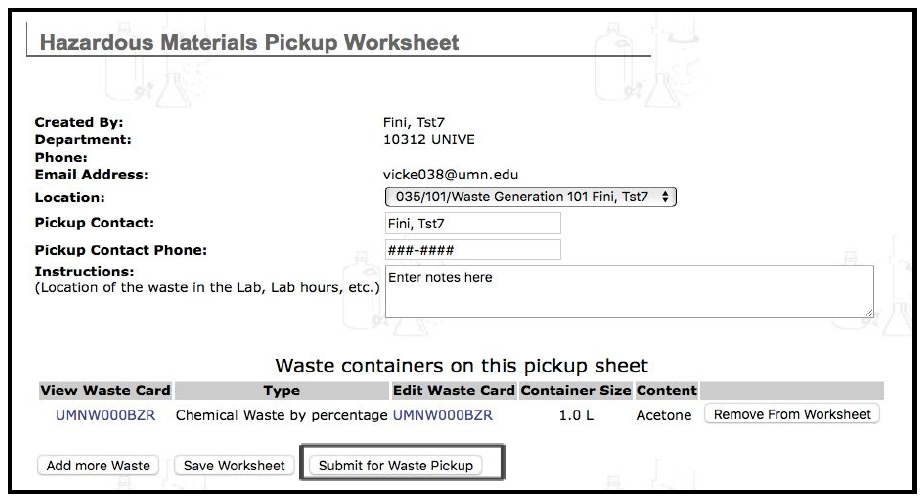
Click Submit for Waste Pickup